
OPENING QUESTIONS: Routers are often described as the "Traffic Cops" of the internet. Why is that?
What would happen if there were no routers or very few routers?
OBJECTIVES: I will be able to describe how TCP and IP protocols work to allow communication between internet devices (not JUST computers) during today's class
CALENDAR:
- We'll review the test on Wednesday (Since it's a short day)
WORDS FOR TODAY:
I STRONGLY URGE YOU TO START A DECK OF FLASH CARDS HERE
- bandwidth: Transmission capacity measure by bit rate
- bit: A contraction of "Binary Digit"; the single unit of information in a computer, typically represented as a 0 or 1
- bit rate: (sometimes written bitrate) the number of bits that are conveyed or processed per unit of time. e.g. 8 bits/sec.
- latency: Time it takes for a bit to travel from its sender to its receiver.
- protocol: A set of rules governing the exchange or transmission of data between devices
- Transfer Connect Protocol
- Internet Protocol
- packets
WORK O' THE DAY:
We didn't do this yesterday:
Before we dive into the wonderful world of routers, let's make sure we have a plan in place for me to see ALL of your sources (sometimes they are hidden behind logons and such that I don't have access to).
Go to the FULL Version/ PDF Version/Html version or otherwise complete version of your source:
- Print that to a pdf which will let you save it to a file.
- Save that file to your Google Drive
- Share it with me and put that link in the email note
OR
- Highlight the entire article (Ctrl-A in Windows)
- Copy that article out (Ctrl-C in Windows or Cmd-C in Apple)
- Paste that article into a Google Doc (Ctrl-V in Windows or Cmd-V in Apple)
- Save that file to your Google Drive
- Share it with me and put that link in the email note
Please make sure you have dropped that in our class submission form now (I'll record that as a 5 pt assignment)
═══════════════════════════
Work solo for a few moment write down a sentence or two (but no more than that please!) to compare the WWW and the internet.
Work solo for a few more moments write down a sentence or two (but no more than that please!) to contrast the WWW and the internet.
Share your results with your team. Blue folks go first! Then green, then red, then orange.
═══════════════════════════
ROUTERS Exercise (we did a speeded <sped?> up version of this yesterday. Do we need to revisit this again? let's discuss).
Let's rearrange ourselves into two groups.
Now please elect/appoint/volunteer someone to be the Traffic Cop (router!) for this exercise!
Now please take a post-it and write your "address" in your group (1 - 4 or 1 - 5, let's keep it simple!)
Grab a several trips of paper and cut them into halves or thirds. On each of those write one and only one word of a very short message (4 or 5 words at most). Be sure to include your "address" at the top
Let's discuss...
A key part of today's lesson plan is to understand how 'addressing' works and also to get our first glance at internet "packets".
We'll dive further into addressing in just a sec, but let's learn a wee bit about 'packets' first.
Your email msg to your friend may contain many hundreds, thousands or even millions of bits of information... every msg is different.
Early architects of the internet realized that data sent across such an internet would be of variable lengths.
They also realized that sending large streams of continuous data across such an internet would have to be broken into smaller chunks. After all, sending one long file increases the odds that parts of that file will be corrupted or lost in transit... so.... best to break things up into discreet chunks called....
...................................................wait for it..........................
PACKETS!
Each packet contains addressing information on where the packet is to go as well as server specific information too as well as hardware sorts of things, but we'll dive more into packets next week.
═══════════════════════════
ADDRESSING!
Let's hold off on more about packets for now and dig into how each packet of data finds it's way from your device to a specific spot on the interweb
Now please do a wee bit of digging online for additional/detailed info regarding ROOT SERVERS and their essential role in moving data around the web:
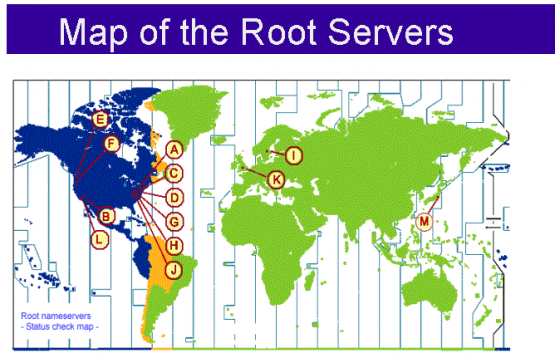
Packets are made up of 4 parts - please go find those.
Work with your team to find those parts four of a packet. Different sources will describe those parts differently so you'll need to agree on a 'standard'. We'll then work as a class to develop a class standard so that we can speak with common terms.
PLEASE NOTE: This gets really, really technical in a hurry. PLEASE do not cut and paste any info at all but really make a double extra effort to understand each part of the packet.
I'll show you the connection/config parts of MY computer here in class. This link won't work on your computer because I won't share those particular aspects on the web (it helps nefarious acktors!)
